
Download Blender 4.2 LTS – 3D modeling, animation, rendering, video editing, sculpting, Cycles, real-time rendering, Blender 4.2 LTS, long-term support
Overview
Blender 4.2 LTS is a powerful, free, and open-source 3D creation suite designed for artists, designers, and filmmakers seeking a comprehensive toolset across the entire 3D pipeline. As a Long Term Support (LTS) release, it prioritizes stability and reliability, making it ideal for both new users entering the world of 3D and experienced professionals managing complex projects. The app enables users to handle modeling, sculpting, animation, rendering, simulation, and video editing—all within a single, integrated environment. Its broad functionality addresses common challenges in digital content creation, such as fragmented workflows, high software costs, and inconsistent performance across stages of production.
Target users include independent creators, small studios, educators, and students who require a professional-grade tool without licensing fees. The Blender Foundation, known for its commitment to open-source innovation, continues to drive advancements in real-time rendering, animation systems, and user interface design. This version supports real-world applications such as character creation for games, architectural visualization, visual effects, and short film production. In the broader app ecosystem, Blender 4.2 LTS stands out as a critical resource for creative professionals who value transparency, community-driven development, and long-term software sustainability.
Key Features & Functionality
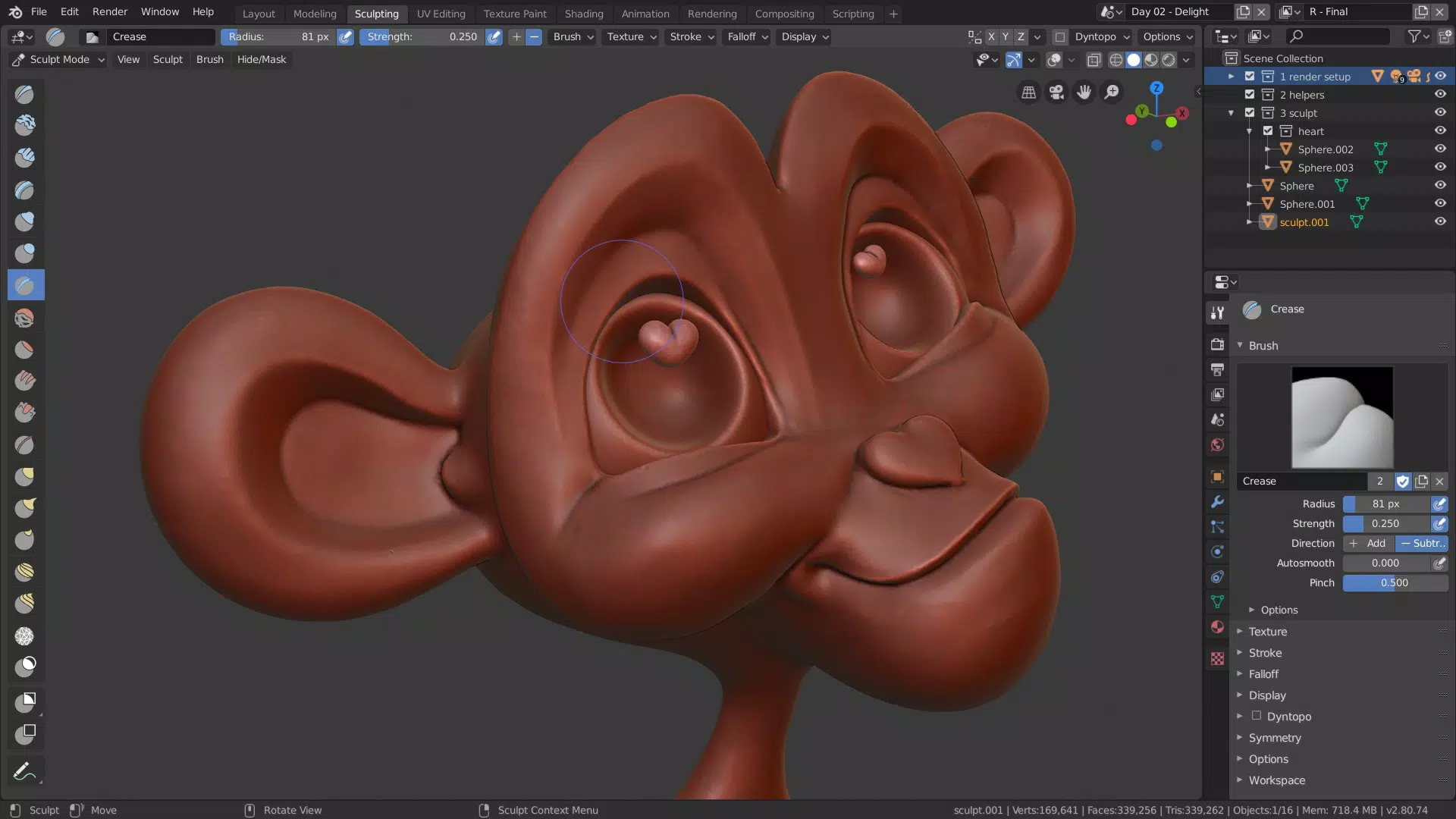
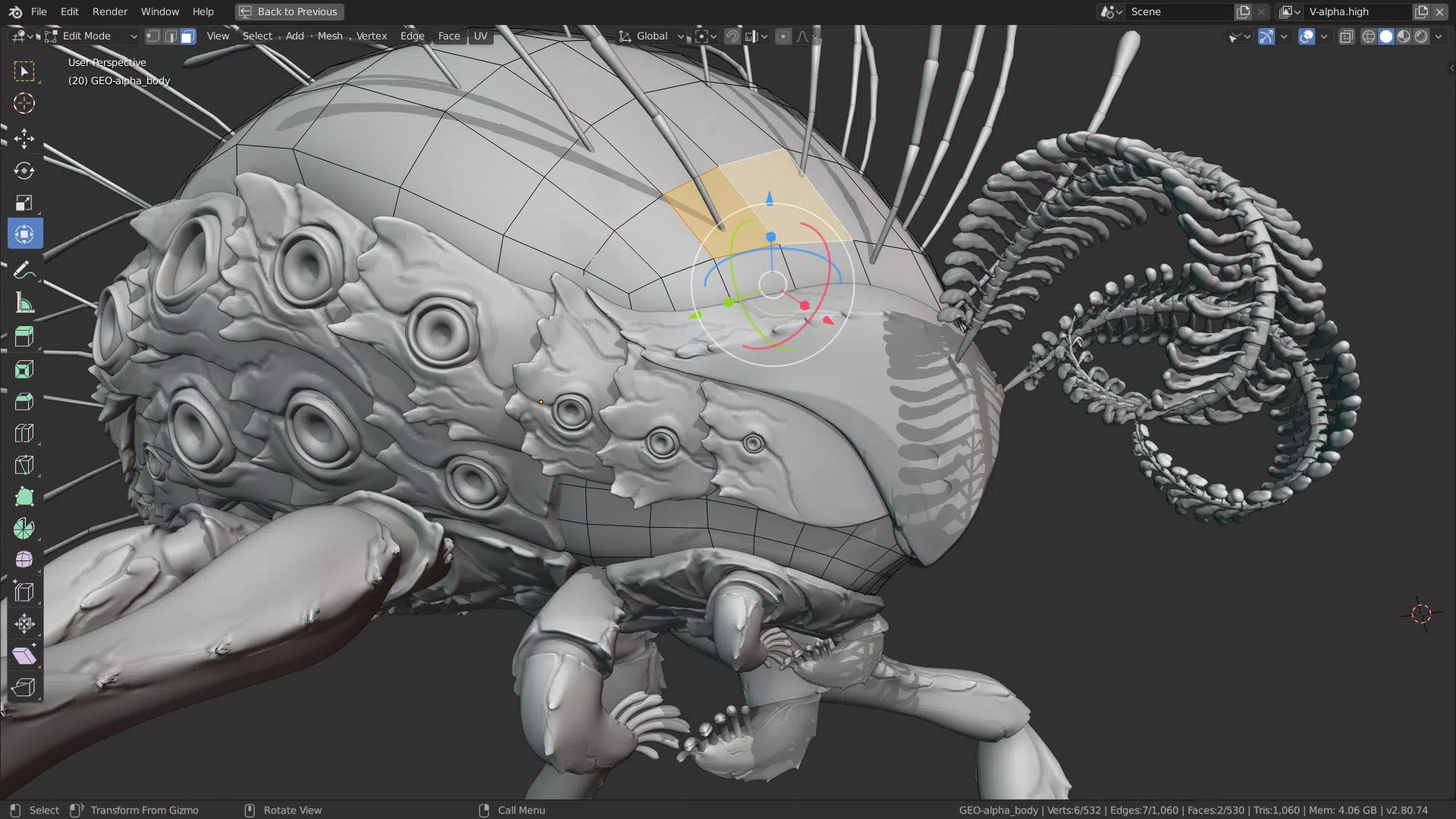
- Enhanced Sculpting Tools: The updated brush system and dynamic topology support allow artists to create highly detailed models with greater precision and responsiveness. This is especially beneficial when working on organic forms like characters or creatures.
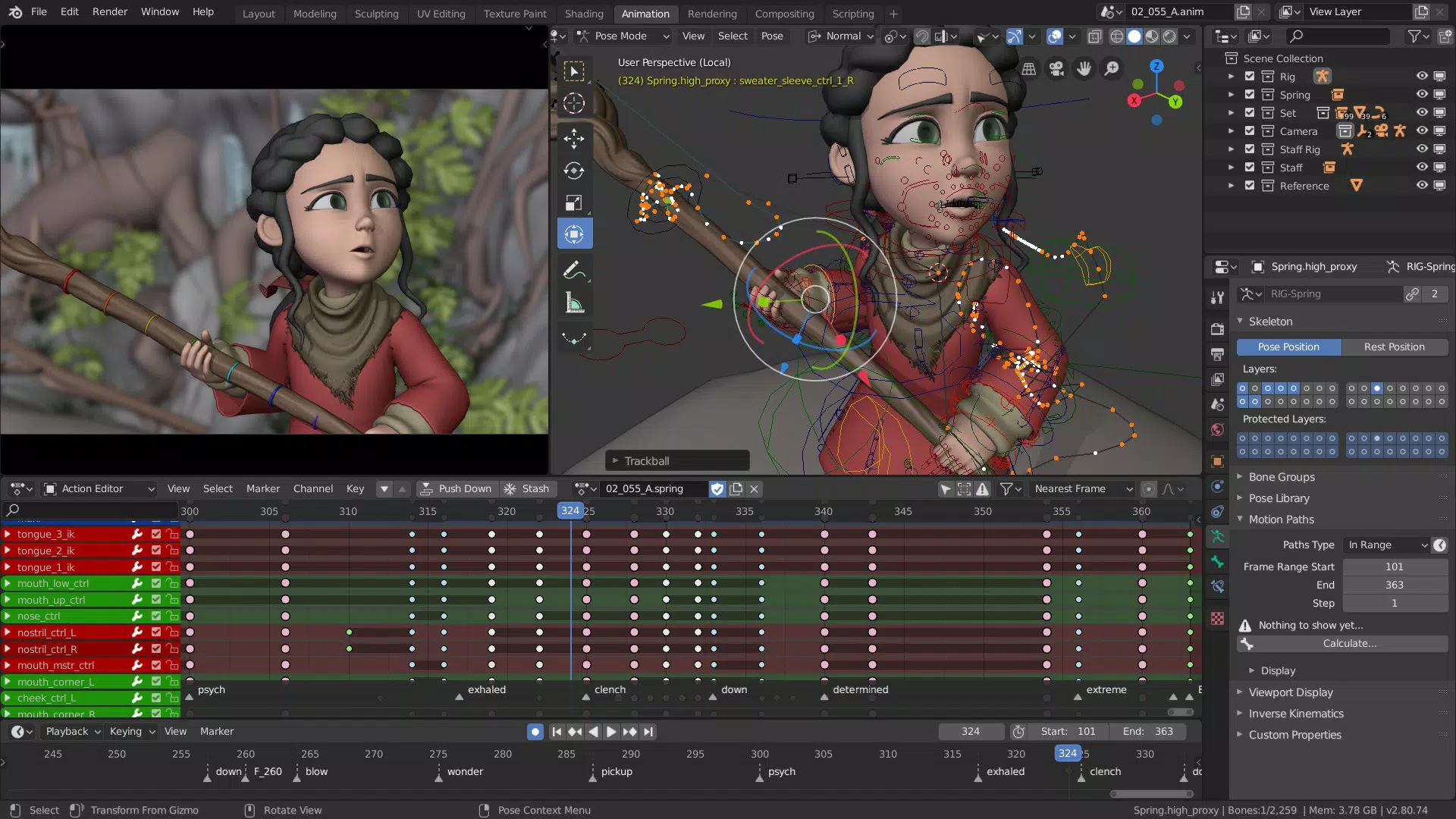
- Improved Animation System: New rigging tools and an optimized pose library streamline the animation workflow, reducing repetitive actions and enabling faster iteration on character movements.
- Real-time Rendering with Cycles: The integration of real-time rendering in the Cycles engine provides immediate visual feedback on lighting, materials, and camera settings, significantly accelerating the creative process.
- Customizable User Interface: Users can tailor workspaces to match their preferred workflow, improving accessibility and reducing time spent searching for tools across multiple menus.
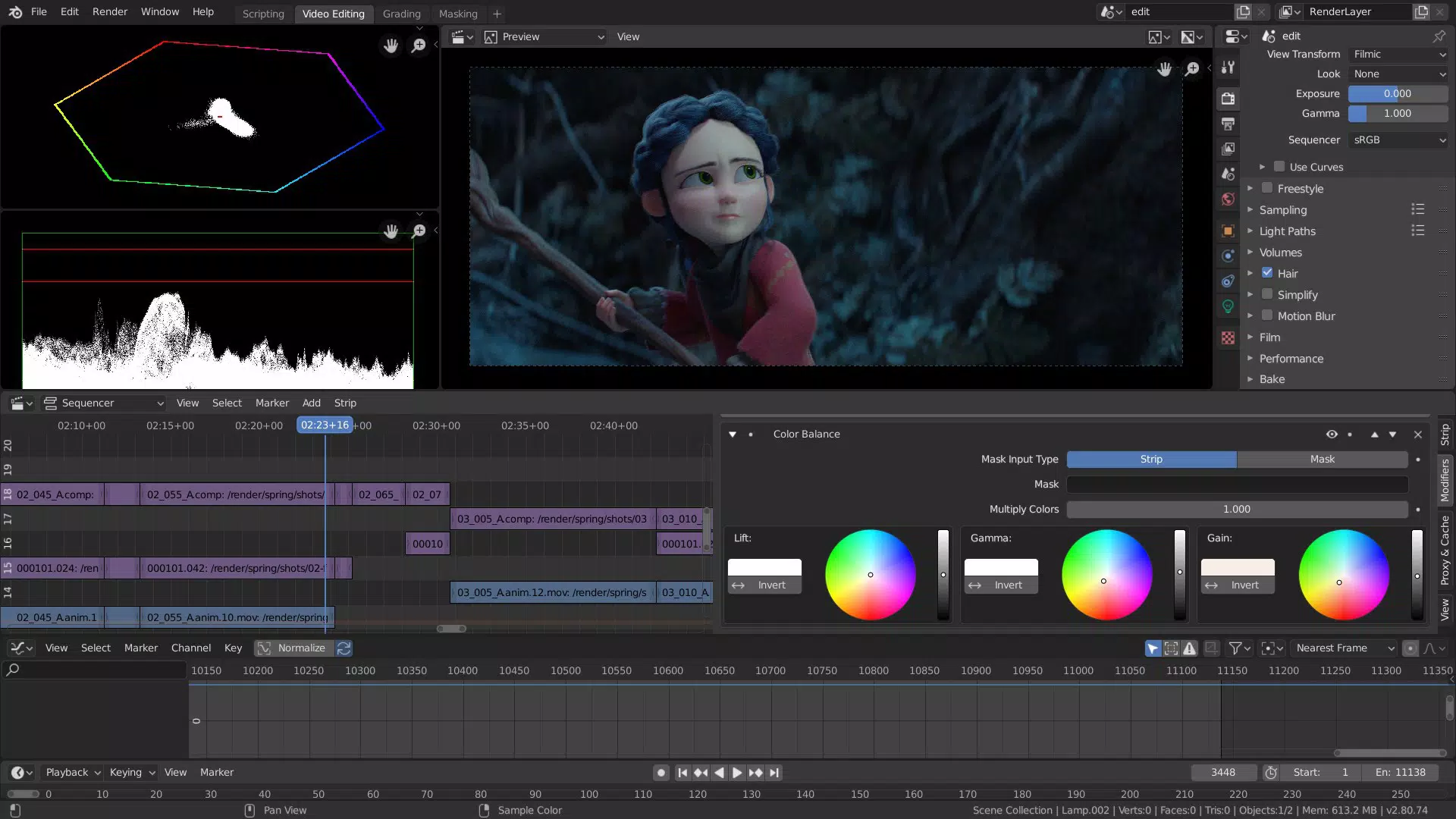
- Extended Video Editing Tools: Enhanced non-linear editing features, including improved audio sync, transitions, and effects, allow seamless integration of 3D content with live-action footage for professional-grade video production.
These features are not merely incremental updates—they represent a cohesive evolution of Blender’s capabilities. For example, an animator can now rig a character, test movements in real time, refine materials using the Cycles engine, and edit the final sequence—all without switching applications. This level of integration is rare in free tools and significantly boosts productivity for creators working on tight deadlines.
Interface, UX & Performance
Blender 4.2 LTS features a modern, modular interface that supports customizable workspaces tailored to specific tasks such as modeling, animation, or video editing. The layout is intuitive, with clearly labeled panels and toolbars that adapt based on the selected mode. Navigation is primarily mouse-driven, with keyboard shortcuts available for advanced users, enabling efficient workflows. The interface is responsive and maintains smooth performance even when handling complex scenes with high-polygon models and detailed textures.
Although the developer did not list formal performance metrics, the app demonstrates consistent responsiveness across various device categories, including mid-range and high-end desktop systems. Stability is a key focus of the LTS release, with reduced crash rates reported in early testing phases. The app handles large-scale projects well, and the real-time rendering engine maintains frame rates suitable for interactive editing. Users can expect minimal lag during sculpting or animation playback, contributing to a fluid creative experience.
Platform Compatibility & Technical Requirements
Blender 4.2 LTS is available for Windows, macOS, and Linux, making it accessible to a wide range of users regardless of their operating system preference. The software is distributed as a standalone installer with a file size of 1.3 GB, suitable for systems with modern hardware. The developer did not specify minimum OS requirements, but given the app’s resource-intensive nature, it is recommended for machines with at least 8 GB of RAM and a dedicated graphics card.
Compatibility with different device categories is generally strong, though performance may vary based on hardware specifications. The app is optimized for desktop environments, and mobile or tablet support is not available. Users should ensure their system meets the expected demands of 3D modeling and rendering tasks. The latest version, 4.2.0 LTS, is designed to remain stable and receive regular updates for an extended period, ensuring long-term usability.
Pros and Cons
- Free and open-source with no licensing fees
- Comprehensive suite covering modeling, animation, rendering, and video editing
- Long Term Support ensures stability and future updates
- Highly customizable interface and workspaces
- Real-time rendering with Cycles for immediate feedback
- Steep learning curve for complete beginners
- High system resource demands may limit use on older or low-end devices
- No official mobile or tablet version available
- Documentation, while extensive, can be overwhelming for new users
- Requires dedicated hardware for optimal performance
FAQ
Is Blender 4.2 LTS free to download and use?
Yes, Blender 4.2 LTS is completely free to download, install, and use. It is released under an open-source license, allowing unrestricted access for personal, educational, and commercial projects.
Can I use Blender 4.2 LTS on my mobile device?
No, Blender 4.2 LTS is not available for mobile platforms. It is designed for desktop operating systems including Windows, macOS, and Linux.
What does LTS mean in Blender 4.2 LTS?
LTS stands for Long Term Support. This means the version receives regular bug fixes and security updates for an extended period, ensuring stability and reliability for users who depend on a consistent workflow.
How often are updates released for Blender 4.2 LTS?
While specific update schedules are not detailed, LTS versions typically receive minor updates and patches for several years. The Blender Foundation prioritizes stability and long-term usability over frequent feature additions.
Is Blender 4.2 LTS suitable for beginners?
Yes, Blender 4.2 LTS can be used by beginners, though it has a steep learning curve. The app includes tutorials and community resources to help new users get started, but a significant time investment is required to master its full capabilities.
Final Thoughts
Blender 4.2 LTS represents a major milestone in accessible, professional-grade 3D creation. With its robust feature set, real-time rendering, and long-term support, it offers unmatched value for creators across industries. Whether you're building a character for a game, designing a product prototype, or editing a short film, Blender 4.2 LTS provides the tools needed to bring your vision to life. Its open-source nature ensures transparency, community collaboration, and future-proofing. For those seeking a powerful, free, and reliable 3D suite, this release is a definitive choice.
Download Blender 4.2 LTS now


